

If your business has settled on the Microsoft 365 Business range, you still have one decision left: Basic, Standard, or Premium. The three plans look similar on the surface, but the gaps between them decide whether your team gets the installed Office apps and whether your company data and devices are actually protected.
Here is a plain comparison of Microsoft 365 Business Basic vs Standard vs Premium, what each one includes, and how to pick the right one for a business in Nepal. If you are not sure the Business range is right for you at all, start with our guide to choosing a Microsoft 365 plan.
Quick comparison
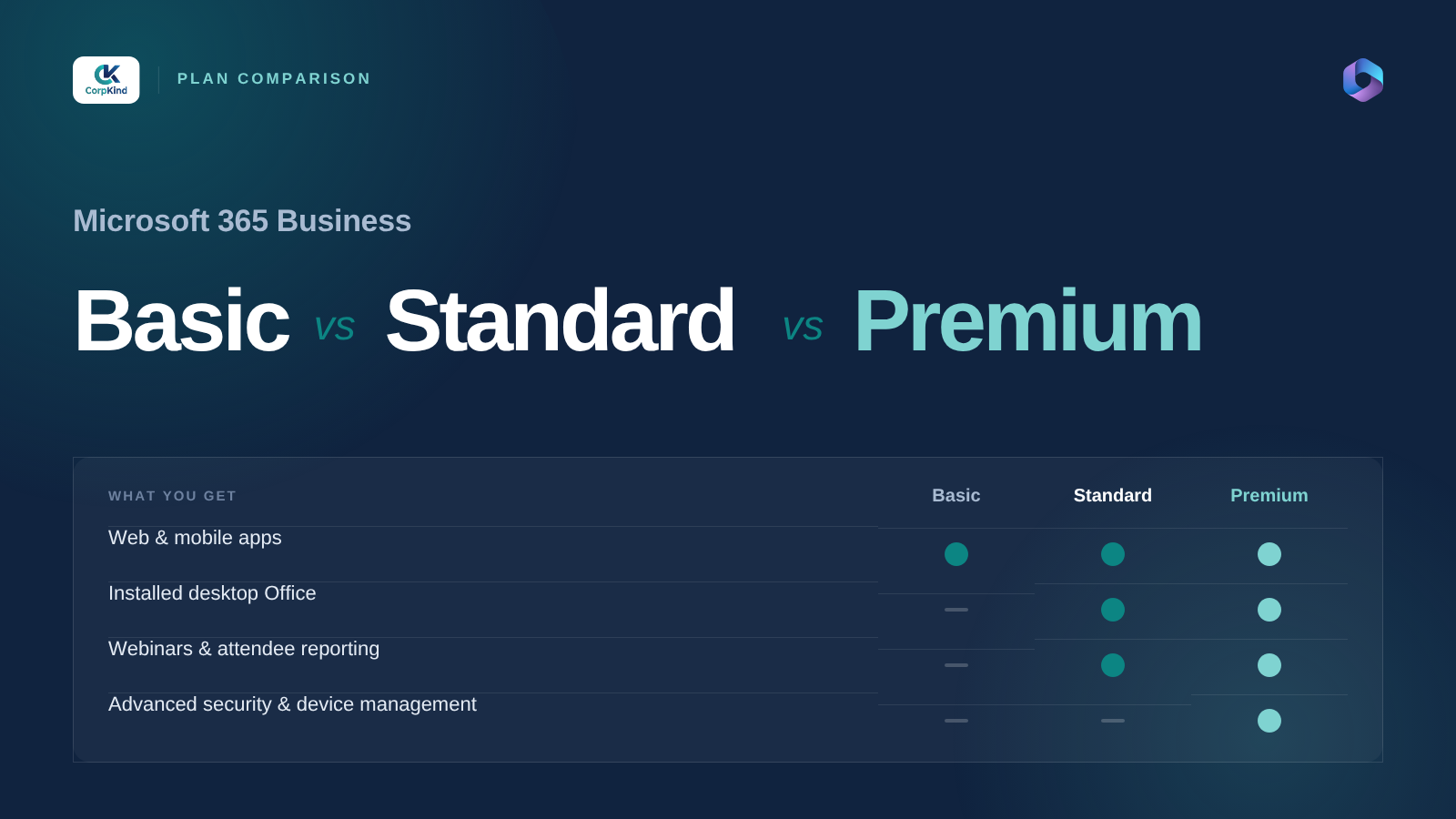
| What you get | Basic | Standard | Premium |
|---|---|---|---|
| Business email on your domain | Yes | Yes | Yes |
| Teams, OneDrive, SharePoint | Yes | Yes | Yes |
| Web and mobile Office apps | Yes | Yes | Yes |
| Installed desktop Office apps | No | Yes | Yes |
| Advanced security (Defender) | No | No | Yes |
| Device management (Intune) | No | No | Yes |
Microsoft 365 Business Basic
Basic gives you the online side of Microsoft 365: business email on your own domain, Teams, OneDrive and SharePoint, and the web and mobile versions of Word, Excel, PowerPoint, and Outlook. What it does not give you is the Office apps installed on your computer.
Pick Basic if: your team mostly works in the browser, you want the lowest cost per user, and nobody depends on heavy offline Excel or Word work. It is a common starting point for small teams and shops that mainly need professional email and file sharing.
Microsoft 365 Business Standard
Standard is Basic plus the full desktop Office apps installed on each computer. For most offices in Nepal, this is the plan that fits. People get Outlook, Word, Excel, and PowerPoint on their machines, work offline when the internet drops, and still have all the email and file sharing from Basic.
Pick Standard if: your team lives in Excel and Word, needs to work offline sometimes, and wants the familiar installed apps. This is the default choice for a typical business.
Microsoft 365 Business Premium
Premium is Standard plus real security and device management. You get Microsoft Defender to guard against malware and phishing, and Intune to manage company laptops and phones: enforce screen locks, separate work data from personal, and wipe a device if it is lost or stolen.
Pick Premium if: you handle sensitive client or financial data, staff use their own devices for work, or you want to control and secure company machines properly. For any business that would be in trouble if a laptop went missing, the jump from Standard to Premium is worth it.
So which one should you buy?
- Browser-first, tight budget: Basic.
- Most businesses that want installed Office: Standard.
- Sensitive data or staff devices to secure: Premium.
A common setup is to mix plans: Standard for most staff, Premium for the people who handle finance, HR, or admin access. You do not have to put everyone on the same plan.
Can you change plans later?
Yes. You can move a user up or down between the Business plans, so you are not locked into the first choice. It is still worth getting close on day one, because upgrading everyone later means reinstalling apps and reconfiguring devices. We help you get the mix right from the start.
Buying Microsoft 365 Business in Nepal
Our Microsoft 365 Business plans start from Rs 5,499 per user and are genuine licences billed in rupees. We set them up for you: connect your domain, create every account, move your existing email across, and install the apps on your machines. See Microsoft 365 for Business pricing, or tell us your team size and we will recommend the right mix of Basic, Standard, and Premium.
Common questions
Is Business Standard enough for most companies?
For most small and medium businesses in Nepal, yes. Standard gives you business email plus the installed Office apps, which covers day to day work. Move to Premium only when security and device control matter.
Do I need Premium for security?
If you handle sensitive data, let staff use personal devices, or want to lock down and wipe lost laptops, Premium is the plan that includes those tools. Basic and Standard do not.
Can different staff be on different plans?
Yes. You can put most of your team on Standard and your finance or admin staff on Premium. Plans are set per user.
